
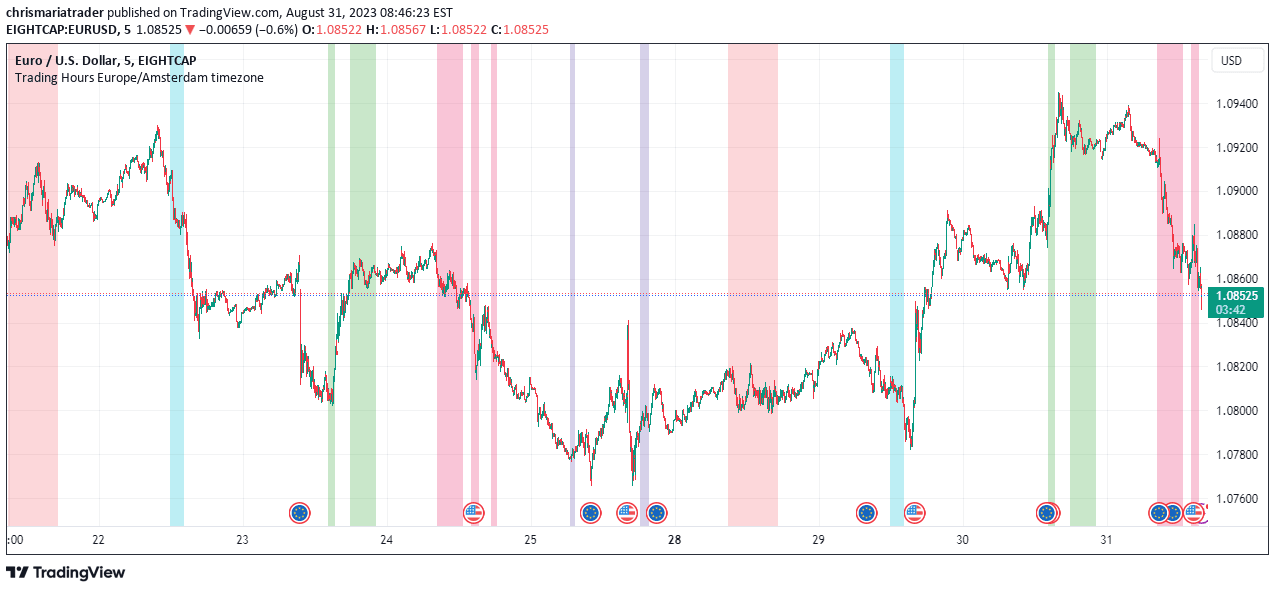
A personal trading hours indicator that allows traders to define and visualize specific time windows for trading across different days of the week.
Explore complementary indicator rolesHow it works
The Personal Trading Hours indicator enables traders to specify custom trading sessions for each day of the week. Users can define multiple time windows per day and assign unique colors to visually represent their available trading periods on the chart. The indicator operates within the Europe/Amsterdam timezone, allowing precise control over when trades can be executed.
By configuring the settings, traders can block out specific times they are unavailable, such as work hours, lunch breaks, or periods with anticipated major news events. The tool provides flexibility for both manual backtesting and live trading strategies, ensuring trades are only considered during predefined time windows.
Why it may be useful
Trading at the right times is crucial for successful strategy implementation, and this indicator helps traders maintain discipline and consistency. By visually mapping out available trading sessions, traders can avoid costly mistakes like entering trades during inappropriate times such as sleep hours or work periods.
The tool provides a structured approach to time management in trading. The Personal Trading Hours indicator offers significant value for traders by creating clear boundaries and reducing emotional or impulsive trading decisions. It helps traders align their strategy with their personal schedule, ensuring they only execute trades during optimal and predetermined time windows.
When to explore it
This indicator is most effective for traders using timeframes lower than the daily chart, providing precise control over trading sessions. It is particularly useful for those with specific time constraints or those who want to align their trading with their personal availability. Traders can leverage this tool during periods when they can actively monitor the markets.
The indicator is ideal for individuals who need to filter out certain times of the day, such as during lunch breaks, exchange opening hours, or periods with significant news events. It works best when traders have a consistent and structured approach to their trading schedule and want to maintain strict time-based trading parameters.
Keep exploring
What we’ve verified
Access, alerts and repainting behaviour have not been independently verified for this indicator. Check the creator’s current publication and settings.
General descriptions and classifications are recovered research. Verified details above identify the specific checks we have completed. Check the creator’s current publication for later changes.


