
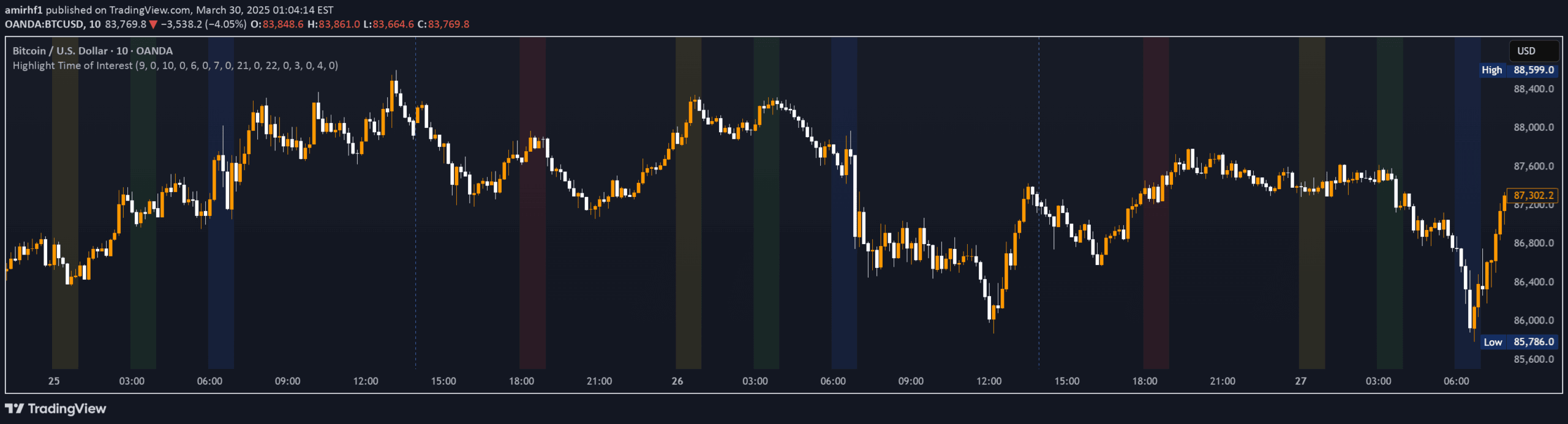
A TradingView indicator that allows traders to highlight up to four custom time periods on their chart with unique background colors, providing visual clarity for specific trading sessions.
Explore complementary indicator rolesHow it works
The EST Time Period Background Indicator works by allowing traders to define up to four separate time intervals with specific start and end times. It automatically calculates the time zone offset between the broker's time zone and New York time (EST).
Users can input their desired time periods, and the indicator will apply distinct background colors to visually represent these intervals directly on the chart. This automated process ensures precise alignment of trading sessions and provides an instant visual reference for key timeframes
Why it may be useful
This indicator is crucial for traders who need to quickly identify and analyze specific market periods. By providing clear visual cues through colored backgrounds, it helps traders instantly recognize important trading sessions or events.
The automatic time zone conversion eliminates manual calculations, reducing potential errors. Visual differentiation allows for easier pattern recognition, session comparison, and strategic decision-making. It simplifies complex time-based analysis and helps traders maintain focus on critical market moments
When to explore it
The indicator is most effective for traders monitoring multiple trading sessions, such as forex traders tracking different global markets, or stock traders analyzing pre-market, regular market, and after-hours periods.
It's particularly useful during times of high market volatility or when tracking specific economic events. Traders can leverage this tool during day trading, swing trading, and when comparing performance across different time intervals. It provides a visual aid for understanding market dynamics and timing trading strategies
Keep exploring
What we’ve verified
Access, alerts and repainting behaviour have not been independently verified for this indicator. Check the creator’s current publication and settings.
General descriptions and classifications are recovered research. Verified details above identify the specific checks we have completed. Check the creator’s current publication for later changes.


