YOUR INDICATOR RESEARCH STARTS HERE

Find the right indicator.
Understand what it does.

Explore 11,183 indicators. Filter beyond the obvious.
Discover the tools that fit the way you trade.

THE INDICATOR LIBRARY

Results for “pinecoders”

11,183 tools to explore

45 indicators matching your filters
Save search
TrendMomentumEditor’s pick

Color Gradient Framework [PineCoders]

by PineCoders

A Pine Script color gradient generator that enables dynamic color generation for trading indicators, providing flexible visualization techniques for market analysis and signal representation.

Main price chart · unverifiedDay Trading · Swing Trading
Explore
2.7Klikes54.5Kviews38comments
Save
TrendMomentumEditor’s pick

TASC 2021.12 Directional Movement w/Hann

by PineCodersTASC

A sophisticated directional movement indicator using Hann windowing to analyze market trends. It enhances traditional Directional Movement Index (DMI) calculations through advanced smoothing techniques.

Separate pane · unverifiedDay Trading · Swing Trading
Explore
1.4Klikes46.8Kviews7comments
Save
TrendMomentumEditor’s pick

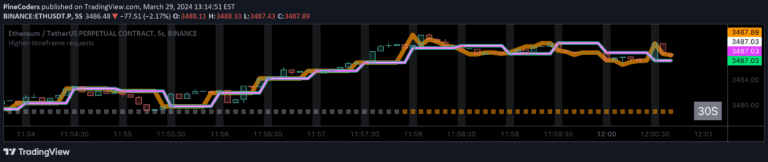
Higher-timeframe requests

by PineCoders

A comprehensive guide to accessing higher-timeframe data using request.security() function while preventing repainting, offering multiple non-repainting techniques for more reliable trading signals.

Main price chart · unverifiedDay Trading · Swing Trading
Explore
770likes51.3Kviews14comments
Save
TrendEditor’s pick

`security()` revisited [PineCoders]

by PineCoders

An advanced technical analysis script exploring the security() function in Pine Script, focusing on preventing repainting and understanding multi-timeframe data retrieval techniques.

Main price chart · unverifiedDay Trading · Swing Trading
Explore
768likes26Kviews60comments
Save
VolumeEditor’s pick

Adapting a built-in [PineCoders]

by PineCoders

A customized volume indicator that displays current volume values and moving average with color-coded insights, providing enhanced visual representation of trading volume dynamics.

Separate pane · unverifiedDay Trading · Swing Trading
Explore
725likes21.3Kviews21comments
Save
TrendVolatilityEditor’s pick

MTF Oscillator Framework [PineCoders]

by PineCoders

A multi-timeframe oscillator that calculates directional True Range values to measure volatility and trend movement across different timeframes with advanced visualization options.

Separate pane · unverifiedDay Trading · Swing Trading
Explore
720likes18.4Kviews17comments
Save
VolumeTrendEditor’s pick

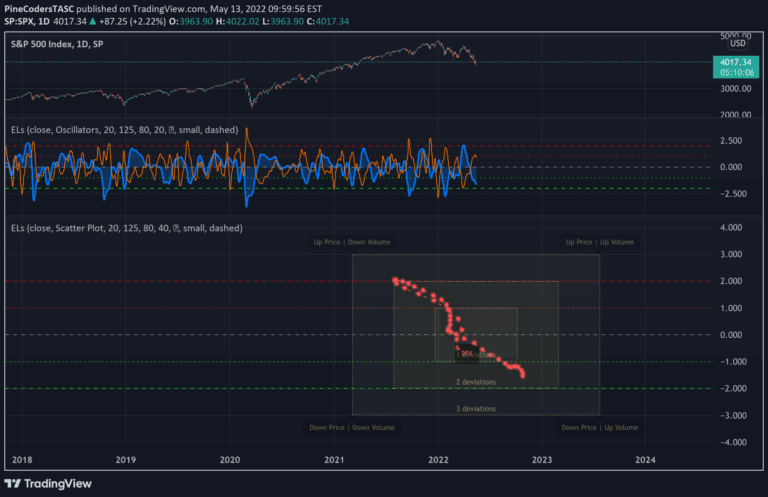
TASC 2022.06 Ehlers Loops

by PineCodersTASC

Ehlers Loops is an advanced visualization technique that compares filtered and scaled price and volume data to reveal potential market conditions and trading insights.

Separate pane · unverifiedDay Trading · Swing Trading
Explore
706likes35.6Kviews11comments
Save
TrendMomentumEditor’s pick

TASC 2025.02 Autocorrelation Indicator

by PineCodersTASC

An advanced market analysis indicator using autocorrelation to identify cyclical patterns, trends, and potential reversals by examining the correlation of price data across different time lags.

Separate pane · unverifiedDay Trading · Swing Trading
Explore
675likes38.9Kviews8comments
Save
VolumeTrendEditor’s pick

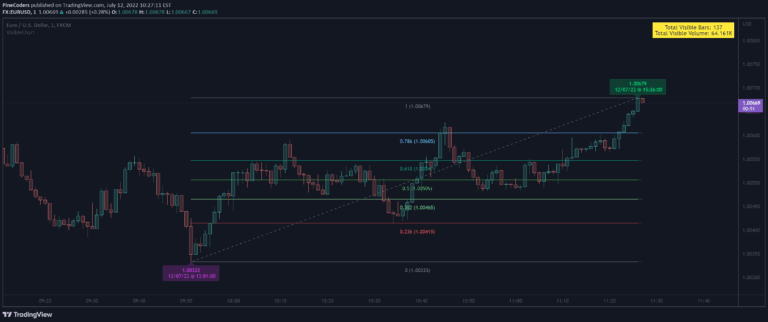
VisibleChart

by PineCoders

A Pine Script library providing dynamic functions to analyze chart bars, allowing traders to extract key insights like high, low, volume, and price information based on visible chart range.

Main price chart · unverifiedDay Trading · Swing Trading
Explore
666likes34.4Kviews63comments
Save
MomentumOscillatorTrendEditor’s pick

TASC 2025.06 Cybernetic Oscillator

by PineCodersTASC

A sophisticated oscillator by John F. Ehlers that uses two-pole highpass and lowpass filters to create a flexible, normalized indicator that captures specific market cycle frequencies.

Separate pane · unverifiedDay Trading · Swing Trading
Explore
620likes17.7Kviews12comments
Save

Likes, views, and comments are historical TradingView snapshots. They describe attention, not trading performance.

START WITH A QUESTION

A little less searching.
A lot more understanding.

Tell DeepAlpha what you need. Get an explanation, a shortlist,
and a direct path to the indicators behind it.

Ask DeepAlpha